
• Skip to main content
  • Skip to header right navigation
  • Skip to site footer
Howcast

Howcast

The best source for fun, free, and useful how-to videos and guides.

  • Arts & Crafts
  • Entertainment
  • Food & Drink
  • Health
  • Home & Garden
  • Relationships
  • Explore Guides
  • Contact
  • About
  • FAQs
  • Explore Guides
  • Arts & Crafts
  • Entertainment
  • Food & Drink
  • Health & Wellness
  • Love & Relationships
  • Home & Garden

Scrapbooking 101

Scrapbooking is a fun hobby anyone can get into, even if you don’t consider yourself particularly crafty. So grab some photos and card stock and prepare to scrap!

Explore the Latest Scrapbooking 101 Guides
▼

The Latest Scrapbooking 101 Tutorials


How to Make a Pop-Up Scrapbook Page

Instructions Step 1: Fold Fold one piece of card stock in half and make a firm crease. TIP: Make sure the card stock is the same size as or smaller than your scrapbook pages. Step 2: Cut slits Cut two slits in the middle of the fold, 1 1/2 inches apart. The slits should be …
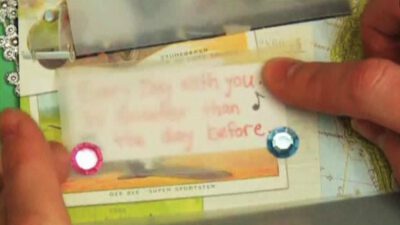
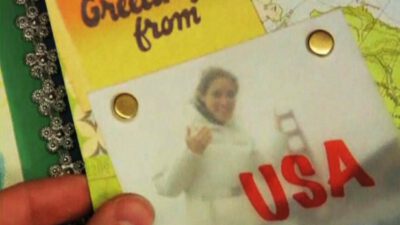
Learn HowHow to Make a Pop-Up Scrapbook Page

How to Use Vellum with Scrapbooking

Instructions Step 1: Print on it Print titles, names, or song lyrics onto a piece of vellum and layer it on top of a page with an image. Since it’s mostly transparent, the image will lightly show through. Attach at the top with brads, ribbon, or string so that the vellum paper can be lifted …

Learn HowHow to Use Vellum with Scrapbooking

How to Use Scrapbooking Brads

Instructions Step 1: Punch a hole Use a 1/16-inch hole punch to make a small hole where you want to attach the brad. Thread it through the hole and simply spread out the prongs on the backside of the page. Step 2: Use to attach overlays Use decorative brads to attach transparent overlays to your …

Learn HowHow to Use Scrapbooking Brads

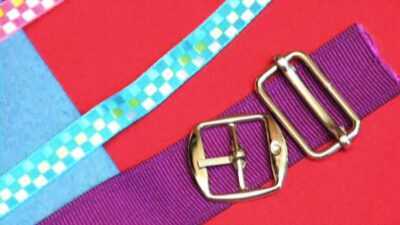
How to Use Ribbon Sliders for Scrapbooking

Instructions Step 1: Choose material Choose the material you want for your slider. Sliders can be made from metal, chipboard, plastic, or paper. Some are embellished with faux pearls and crystals — perfect for a little added bling. TIP: Look for acid-free sliders, especially if you’re using them around photos. Step 2: Custom paint them …

Learn HowHow to Use Ribbon Sliders for Scrapbooking

How to Sell Digital Scrapbooking Products

Instructions Step 1: Develop kits and themes Develop digital kits and themes for scrapbooks using your design software that contain matching backgrounds, embellishments, and fonts. Step 2: Take a computer class Take a computer programming class to learn how to save, edit, and package files in either the P-D-F or Zip format for easy download …

Learn HowHow to Sell Digital Scrapbooking Products

How to Use Downloaded Fonts for Scrapbooking

Instructions Step 1: Find your font Find a font that matches the mood of your layout from a number of websites that offer free fonts to download. Many specialize in scrapbooking, organizing their fonts by helpful categories, and offer seasonal themes. TIP: Elegant script fonts have a more formal look, while primitive or graffiti fonts …

Learn HowHow to Use Downloaded Fonts for Scrapbooking

How to Create a Digital Scrapbook on Your Computer

Instructions Step 1: Use image editing software Use image editing software. Most image editing programs offer free trial downloads online. TIP: Image editing programs use layers to arrange and stack scrapbook page elements, including images and text. Step 2: Select photos and scan them Select photos and scan them into your image editing program. Or …

Learn HowHow to Create a Digital Scrapbook on Your Computer

How to Remove Rubber Cement from Scrapbook Photos

Instructions Step 1: Copy your pictures Have your pictures color copied and reprinted before attempting to remove the rubber cement, in case removing it causes damage. TIP: Scan the photos at home to have a digital back-up. Step 2: Rub Rub your finger in a circular motion over the rubber cement until it rolls up …

Learn HowHow to Remove Rubber Cement from Scrapbook Photos

How to Make a Scrapbook Cover

Instructions Step 1: Evaluate time, energy, and money Evaluate the time, energy, and money you wish to invest in creating a scrapbook cover; then budget each accordingly. Step 2: Consider cover options Consider cover options, then decide whether you want to decorate a purchased album or to make a scrapbook cover from scratch. Step 3: …

Learn HowHow to Make a Scrapbook Cover

How to Sell Scrapbooks Online

Instructions Step 1: Work on designs Pick up some design software and use your artistic eye to craft your own backgrounds, embellishments, stamps, and fonts for scrapbooks. TIP: Develop your own brand and style and try to fill a niche. Step 2: Advertise services Advertise your services in local newspapers, online, and at craft and …

Learn HowHow to Sell Scrapbooks Online

How to Use Rub-On Stickers in Scrapbooking

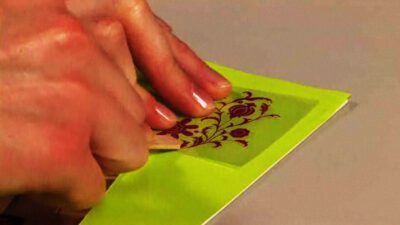
Instructions Step 1: Cut out sticker Cut out your rub-on sticker with scissors before application. This will prevent you from accidentally rubbing another sticker onto your work. Step 2: Peel the backing Peel the backing from the sticker and position the image on your paper. Step 3: Use a Popsicle stick Use a Popsicle stick …

Learn HowHow to Use Rub-On Stickers in Scrapbooking

How to Use Lyrics in a Scrapbook

Instructions Step 1: Find the perfect song Find the perfect song for your layout — think of what reminds you of the people or events in the photos and the mood you want to convey. Go through your music collection, or type in “lyrics” and the appropriate keywords online. Step 2: Use the title Use …

Learn HowHow to Use Lyrics in a Scrapbook

How to Use Stencils in Scrapbooking

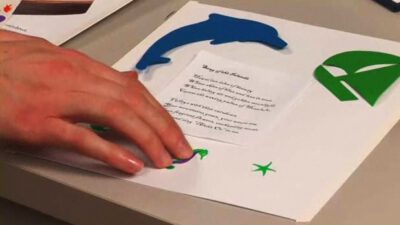
Instructions Step 1: Buy the stencil Buy a stencil set with several shapes that pertain to the page you’re designing. Look for initials if you’re designing the scrapbook for someone else as a gift. Step 2: Place the stencil Place the stencil over the area you want to design, holding it firmly in place. TIP: …

Learn HowHow to Use Stencils in Scrapbooking

How to Insert Refill Scrapbook Pages

Instructions Step 1: Know your scrapbook Determine the kind of scrapbook you have before purchasing refill pages. Consider both the size and style of your current pages. TIP: There are three basic scrapbook page styles — post-bound, strap-hinge, and 3-ring. Step 2: Purchase refills Purchase the correct refill pages at your local craft store or …

Learn HowHow to Insert Refill Scrapbook Pages

How to Scrapbook an Autograph

Instructions Step 1: Take supplies Carry scrapbooking paper or another heavy stock paper and a good ink pen with you when you go to get an autograph. TIP: Use a light colored paper with dark ink, or a dark colored paper with a white, silver, or gold paint pen. Step 2: Get an autograph Get …

Learn HowHow to Scrapbook an Autograph

How to Label & Identify Scrapbooking Albums

Instructions Step 1: Cut out the protector Cut the page protector to the size of the spine of your scrapbook album. TIP: Use a straight edge to cut. Step 2: Decorate Decorate the protector to match the rest of the album, using stickers, ribbon, and paper. Step 3: Label with letters Label the cover and …

Learn HowHow to Label & Identify Scrapbooking Albums

How to Age or Stress White Card Stock for Scrapbooking

Instructions Step 1: Apply a tea stain Use regular tea to create that old look. Get a tea bag wet and drag it over the white card stock. You can also brew a bit of tea and use a paintbrush to spread it over the card stock. Use a weight so the paper won’t warp …

Learn HowHow to Age or Stress White Card Stock for Scrapbooking

How to Make a Weight Loss Scrapbook

Instructions Step 1: Embellish the cover of the scrapbook Choose a design for the cover of your scrapbook that will highlight your progress. Decide on an inspirational title, and use scrapbooking embellishments like pre-cut letters, tags, and ribbons to create your design. Use a scrapbooking adhesive to create your cover design on the three-ring binder. …

Learn HowHow to Make a Weight Loss Scrapbook

How to Cut Scrapbook Photos

Instructions Step 1: Consider your options Determine how many photos will fit on a page and whether to crop an imperfect photo. Step 2: Think creatively Think creatively. Photos may be cut in squares, rectangles, ovals or circle shapes, and into stars or heart shapes. TIP: Copy irreplaceable photos before cutting them. Step 3: Cut …

Learn HowHow to Cut Scrapbook Photos

How to Save Money on Your Scrapbooking

Instructions Step 1: Clip coupons Clip coupons. Many craft stores frequently offer discount coupons, either in circulars or on their websites. Step 2: Organize a party Organize a scrapbooking party with friends so you can share supplies and memories. Step 3: Trade or sell Trade or sell scrapbooking supplies that you have accumulated but will …

Learn HowHow to Save Money on Your Scrapbooking

How to Select the Right Album for a Scrapbook

Instructions Step 1: Consider temporary mounting If you have anything you might want to remove at some point, you’ll need to find a way to mount it temporarily, like with photo corners. Again, write down the requirements. FACT: Famous American scrapbookers include founding father Thomas Jefferson, literary hero Mark Twain and Tori Spelling. Step 2: …

Learn HowHow to Select the Right Album for a Scrapbook

How to Get Started Scrapbooking

Instructions Step 1: Decide on a topic Decide on a topic. If you pick a theme before you start, you’ll be more prepared to organize your material. TIP: Invite family members to participate for family-bonding time. Form a scrapbooking group to work on projects together and enjoy conversation. Step 2: Pick a book Pick a …

Learn HowHow to Get Started Scrapbooking

How to Assemble a Scrapbook

Instructions Step 1: Shop for safe materials You’ve organized your material into layouts; now it’s time to construct. The key is using adhesives, papers, and decorative elements that won’t damage what you’re trying to preserve. Shop for ones labeled acid-free, archival quality, photo-safe, and lignin-free. Step 2: Trim background paper Trim your background paper to …

Learn HowHow to Assemble a Scrapbook

Copyright © 2026 · Howcast · All Rights Reserved · Powered by BizBudding Ventures with Springwire.ai

Privacy Manager