Transcript
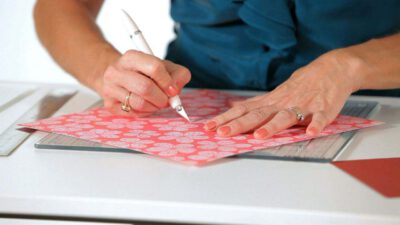
Hi I’m Carla and we’re talking about how to tear paper. Yes, that’s right, how to tear paper for scrapbooking, because believe it or not, there are actually a couple of little tricks that are helpful to know. So here I have a piece of cardstock and the first thing to know is that cardstock, a paper, actually has a grain. So if you hold the paper this way, you can see how it kind of flops over to the side. Turn it 90 degrees and you see it flops to the side just a little less. You can tell that the grain is actually going in that direction which is causing it to flop over. So it’s just a little bit easier to tear with the grain.
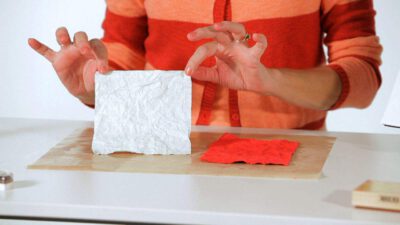
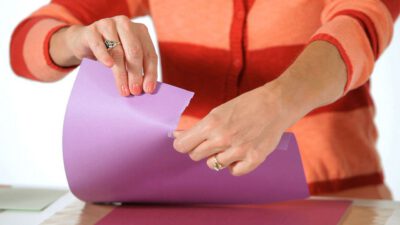
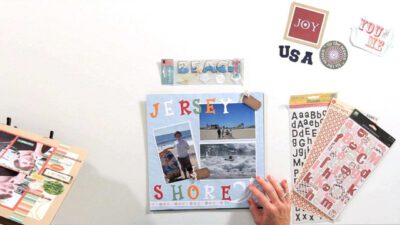
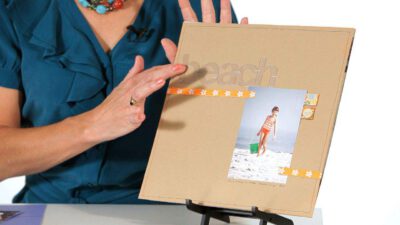
So if you happen to give that some thought as you’re scrapbooking, as you’re preparing to tear your paper, it’ll be a little easier. And so to tear the paper, you want to hold it away from you. Hold it in your left hand and then with your right hand pull toward you. So like this. And what you get is this nice, beautiful, ragged edge. And you get to see some of that inside of the sheet of the cardstock, inside that torn edge. Now why would you want to tear paper? Well, first of all, it’s kind of fun. Right? And secondly, it gives you, again, a nice texture. You get a nice texture from it and there are certain effects. You could think about doing this on a beach page where you’re tearing the sand and tearing the waves. You could create a nice landscape from that. Now I’ve torn cardstock that has a solid core. I also want you to see cardstock, or paper, that has a white core and how that changes.
And this actually is white on the backside so you know for sure it’s white at its core. So this way is a little bit more limp, this way a little less so, so I’m going to tear it this way. And this time I’m going to tear off just a border. So, again, pulling toward me. And you can move your hand a little bit around this way and that to get a little bit more of a wave pattern. And it’s always a little random. If you’re trying to tear it perfectly, forget about it. That’s not what tearing is about.
Tearing is about that kind of random, ragged feel. Now, if you notice just real quickly as I was pulling toward me, I’m getting that ragged edge on the piece of paper that’s in my left hand. The piece of paper that was in my right hand, the ragged edge such as it is was on the other side. So you want to think about where you want that ragged edge to appear, to be on your final page, and keep that in your left hand. So ragged edge, left hand. And that’s about all there is to tearing paper.